



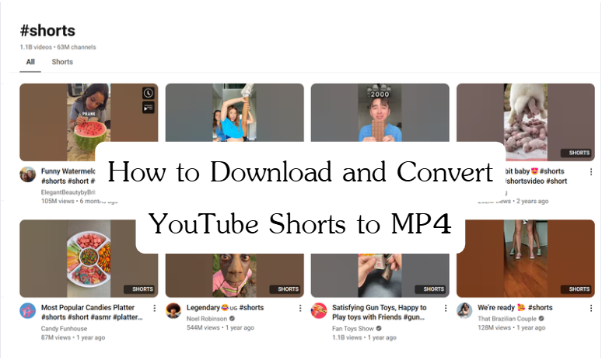
Short videos are popular these days, and YouTube Shorts is one of the most viral platforms for people watching these shorts. As a user, you may also want to download these shorts for sharing, editing, or for future offline viewing without the internet. However, YouTube Shorts does not offer direct download options. In this guide, we will show you how to download YouTube shorts to MP4 with 4 methods tailored to different users’ needs. Let’s go ahead.
Part 1: How to Download YouTube Shorts to MP4 Online?
Online YouTube Shorts downloaders like Y2Mate provide easy and quick video downloading services through web-based access without needing installation. It supports output formats such as MP3 or MP4 format, suitable for audio or video needs. You can access the free service safely from the browsers of the desktops/tablets/mobile devices.
Although these online YouTube Shorts downloaders are convenient to use, certain limitations cannot be neglected. Some websites are not ad-free, which gives a bad downloading experience. With no advanced downloading features, the downloading speed is also sometimes unpredictable.
Here is a simple guide on how to use it:
Step 1: Go to Y2Mate website.
Step 2: Copy the URL of the YouTube Shorts video that you want to download.
Step 3: Paste the URL to the Y2Mate bar, choose the MP4 format, and click on the button to detect the downloadable resources.
Step 4: Click on the Download button to start the downloading process.
Part 2: How to Convert YT Shorts to MP4 with Extension?
After exploring online YouTube Shorts downloaders, if you don’t find it effective for you, a YouTube Shorts downloader extension is an alternative, such as Video DownloadHelper. After installing the extension on your browser, it can detect the downloadable resources, and you can choose from them to download.
However, since 2024, Google and YouTube have disabled users from downloading YouTube Shorts Video Downloader extensions. The options are very few from the Chrome browser. So it is suggested to use Firefox or other browsers to install. But, you may still find some of the extensions are not working due to the copyright. So, if it doesn’t work, you need to opt for other solutions.
Here is a step-by-step installation and use:
Step 1: Get Video DownloadHelper from the add-on store for Firefox.
Step 2: Install the extension and activate the DownloadHelper icon on the toolbar of your browser.
Step 3: Open the YouTube Shorts video that you want to download.
Step 4: Click the DownloadHelper icon in the browser toolbar.
Step 5: Choose the MP4 and the size of your choice. Click the “Download” button to download.
Part 3: How to Download YouTube Shorts to MP4 with CleverGet?
Although the above two methods are easy and convenient to use, using professional video downloader software gets you more downloading experience and features. CleverGet All-in-One video downloader is such a perfect tool. It stands out as a comprehensive video downloader that supports over 1000 websites like YouTube, TikTok, Facebook, Instagram, etc. So, you can download any videos you want, in up to 8K resolution in MP4/MKV formats. It also allows you to batch download multiple YouTube Shorts videos at once to save time and effort.
Key Features of CleverGet All-in-One Video Downloader:
- Supports 1000+ Stream Sites: Download video from platforms like YouTube, TikTok, Facebook, Instagram, and countless more.
- Personalizable Output Formats: Choose from MP4, MKV, and WEBM for your downloaded video.
- 8K Resolution Downloads: Download ultra-high-definition videos up to 8K resolution.
- Batch Downloading: Download videos or even entire playlists at once to save time.
- Subtitle and Audio Track Support: Download a video of a desired subtitle and audio track in various languages.
- GPU Hardware Acceleration: Speed up your download process with GPU-powered performance.
CleverGet has an intuitive interface and it’s very easy to use. Here are the step-by-step instructions to start:
Step 1: Download and Install CleverGet
Go to the CleverGet official website and download the software based on your system (Windows or Mac). After installation, launch the software.
Step 2: Set the Output Directory
Before downloading, it is better to adjust the output settings. Click on the three dots at the upper right corner to enter Settings. In the General tab, you can change the save location and other parameters.
Step 3: Locate the Desired YouTube Shorts Video
Copy and paste the video URL to CleverGet’s address bar. Play the video, and the software will parse it.
Step 4: Choose One Video to Download
The software will present downloadable resources of different sizes. Choose one that you would like to download. At the same time, at the bottom options, you can adjust the output format, audio code, and subtitle; you can choose to remix the subtitle to the file. After selecting, click on the Download button to start.
Step 5: Monitor the Download
While downloading, you can monitor the process at the right panel in the Download section by clicking the down-arrow icon. You can pause and restart anytime.
Step 6: Access Downloaded Video
After completing, you can directly access the video by double clicking the title.
Part 4: The Comparison of These YT Shorts to MP4 Conversions
If you still don’t know which method is best for you to download and convert YouTube Shorts videos to MP4, here is a direct comparison chart that you can refer to. Every method has its advantages and limitations. Just choose from your needs.
| Feature | Online YouTube Shorts Downloader | Browser Extension | CleverGet All-in-One |
| Ease of Use | Very easy, no installation required | Requires installation, but simple to use | Requires software download, but user-friendly |
| Supported Formats | MP4, MP3 (limited) | MP4, sometimes additional formats | MP4, MKV, WEBM |
| Video Quality | Up to 1080p (depends on website) | Up to 1080p (depends on extension) | Up to 8K Ultra HD |
| Batch Download | No | No | Yes, supports bulk downloads |
| Subtitle & Audio Track Options | No | Limited | Yes, customizable |
| Download Speed | Moderate | Moderate | Fast (GPU acceleration) |
| Stability & Reliability | May fail or show ads | Some extensions may not work | Stable, supports 1000+ sites |
| Best For | Quick, one-time downloads | Occasional users | Frequent users who need high-quality downloads |
Conclusion
Anyways, as long as you have the right tool, you can easily download the YouTube Shorts videos to MP4. If you like fast, no installation required, choose the online tool. If you prefer a bit more, YouTube Shorts video downloader is also a good alternative. But for those who wish to experience the best quality features and don’t mind a software installation, don’t think twice. Just choose CleverGet All-in-One video downloader to get advanced options.
